
Templates
Four portfolio website templates,
all of them free.
Four is the whole list. Each is a complete portfolio website template we designed end to end — its own typography, colour and motion — rather than a gallery of half-finished themes to sift through. All four are free, any of them can run on a domain you own, and your content is stored separately from the design — so switching later costs nothing and there is no wrong first choice here.
The four
Pick a portfolio template,
or preview all four.
Every card links to a full write-up of that template and to a live preview, rendered with sample content so you can see how a finished personal website template behaves before you sign in.
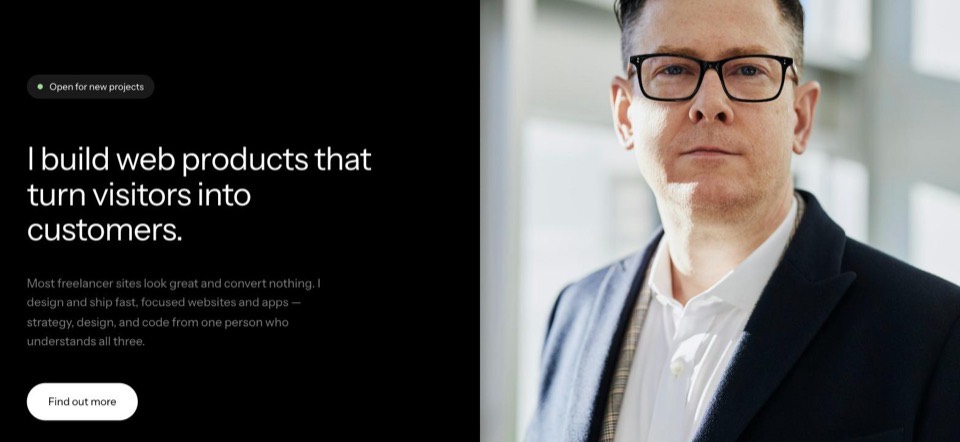
Noir
Pure black canvas, coral highlights.
Who it suits: designers and developers who want high contrast and one striking first impression.
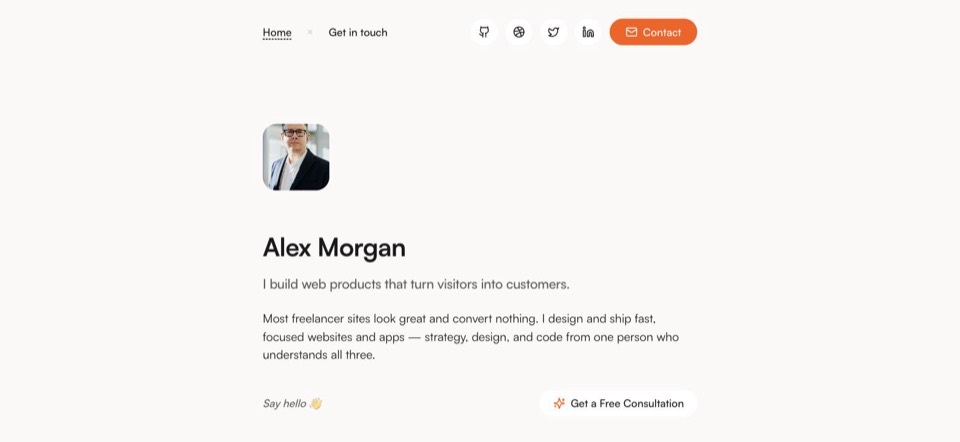
Warm
Soft off-white, warm orange details.
Who it suits: writers, consultants and anyone whose words do more selling than their visuals.
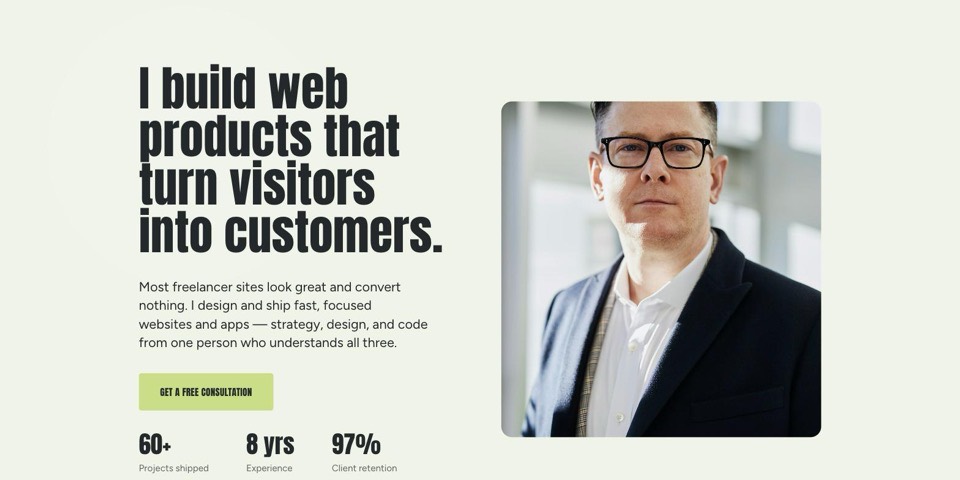
Spotlight
Colour-shifting panels, condensed display type.
Who it suits: agencies and art directors who would rather be memorable than understated.
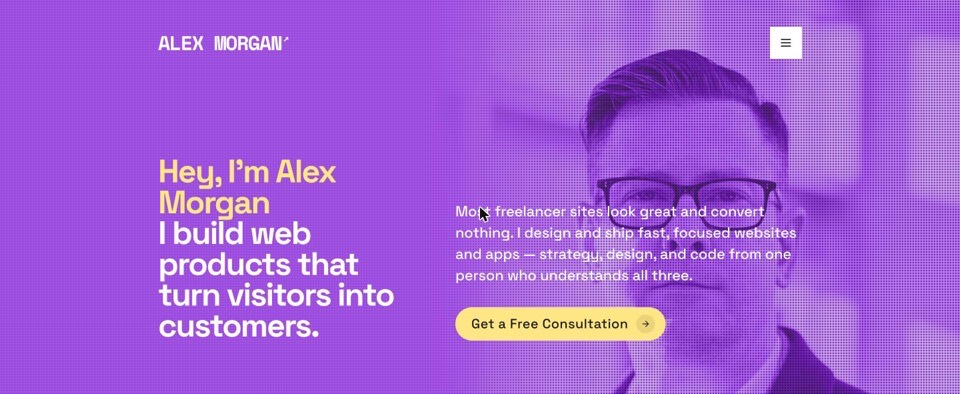
Halftone
Violet halftone hero, oversized uppercase type.
Who it suits: illustrators and graphic designers who want the work to hit first and hardest.
Compare
Which one
suits your work?
What differs between them is tone, and how loudly each one talks. None of them is best at everything.
| Template | Look | Best for | Motion | Standout feature |
|---|---|---|---|---|
| Noir | Dark and high contrast | Developers and product designers | Minimal — a live clock and a logo marquee | One coral accent on pure black |
| Warm | Light, warm, serif headings | Writers, consultants and coaches | Almost none — one horizontal photo strip | The only template built for long-form copy |
| Spotlight | Colour-shifting panels, condensed capitals | Agencies and art directors | The most animated of the four | The background changes colour as visitors scroll |
| Halftone | White paper, violet halftone, oversized capitals | Illustrators and graphic designers | Restrained — the dot pattern shifts on load | Type that runs edge to edge |
Read this as four trade-offs rather than four scores — each template wins one column.
Which should I pick?
If you write code or design products, take Noir — a dark canvas flatters screenshots, and it is the template the rest of the product was designed around. If your words do more selling than your visuals — consulting, coaching, copywriting, strategy — take Warm; it is set for reading rather than for impact, and it is the only one of the four that shows your freelance platform levels and your location. If you run an agency or art-direct, and being remembered matters more than being calm, take Spotlight. If you illustrate or design graphics and already have strong images to hand, take Halftone.
Two tie-breakers. If your projects have no images yet, Spotlight and Halftone are the wrong starting point — both are built around the picture and simply omit the panel when there is none, whereas Noir fills the gap. And if you genuinely cannot decide, take Noir: it is our default, and nothing about the choice is permanent.
Included
Four looks,
one set of sections.
A question of tone, not of features: all four are filled from the same profile, so nothing you write is stranded in the template you did not pick.
A hero with your photograph
Your name, the one line that says what you do, and a portrait — every template opens with those, and only the arrangement changes.
About, with your numbers
Your bio and the stats you set — years in the work, projects shipped, clients served — appear on every template.
Services and what each covers
Each service with its own bullet list, so a visitor can tell within a few seconds whether you do the thing they came for.
Skills and tools
Your skill tags and the tools you work in show on all four. Noir is the only one that draws each tool’s brand mark; the rest set them as type.
Projects, with or without images
Title, category, description and a link. Where a project has no image, Noir substitutes a photograph, while Spotlight and Halftone drop the media panel and let the copy run the full width instead.
Testimonials
Client quotes with a name and a role. Noir runs them as a carousel, Warm as a scrolling card deck, Halftone as a section of its own; Spotlight lifts a single quote into its closing panel.
A contact form on every page
A floating button opens the same form on all four templates. Enquiries are saved to your dashboard, so nothing depends on you spotting an email.
Search basics, rendered on the server
Your title, description, social preview card and a Person structured-data block are written into the HTML itself rather than added by JavaScript, and each site gets its own sitemap.xml.
Visitor numbers
Published pages count one visit per visitor per day, and the total sits in your dashboard. Only public views count, so previewing your own site does not inflate it.
What genuinely differs beyond the styling is short enough to list. Noir is the only template that renders your client logo strip and your full set of social links. Warm is the only one that shows your freelance platform levels and your location. Everything else you fill in appears on all four.
How it works
You pick the look
before you write a word.
Template is the first question the setup wizard asks, not the last. Everything you type afterwards is stored as content rather than baked into a design, which is what makes the step-one decision the easiest one to undo.
Sign up
01With Google in one click, or with an email and a password. Your free subdomain is created during that first sign-in, so you never have to think one up.
Pick a template
02This is question one of the setup wizard, not the last step. Preview all four here first if you like — whichever you choose is applied straight away.
Paste LinkedIn, or just answer
03Paste a public profile URL and we draft your name, title and about section from it. Skip it and the wizard simply asks instead — photos, tools, skills, freelance platforms, contact details.
Publish, then edit in plain English
04We generate the site from your answers. After that the Website page puts a live preview beside a chat box: describe the change you want and it is made to your content.
Limits
What you control,
and what you do not.
Template galleries tend to go quiet here. The line runs between content and arrangement: the content is entirely yours, the arrangement belongs to the template.
Yours to change
Every word and image on the site, changed as often as you like.
Your logo, which sits in the template’s navigation, and your photographs.
The template itself — switching re-renders everything you have already written.
Your address: rename the free subdomain, or point a domain you own at the site instead.
Whether the site is published at all.
Fixed by the template
The order of the sections, and which sections exist.
The typefaces, palette and spacing — each template commits to one look.
There is no drag-and-drop builder and no CSS or HTML to edit.
Your site is one scrolling page: there are no sub-pages to add.
You cannot upload a template of your own.
Questions
The things people ask
before you start.
Are the portfolio website templates really free?
Yes. All four templates are free to use on a bunfolio.com subdomain, with no card and no trial clock, and no template is reserved for a paid tier. The one thing we charge for is connecting a domain you own — the current options are on the pricing section of our home page.
Can I change template later?
Yes, at any time, and you will not lose anything. Your content is stored separately from the design, so switching template re-renders the same projects, bio and contact details in a different look. It takes one click and it is reversible, which is why picking one now is a low-stakes decision.
Can I use my own domain with a free template?
Yes, with any of the four. Every site gets a free subdomain automatically, and you can point a domain you own at it instead. Two costs are worth separating: you buy the domain itself from a registrar, and connecting it to Bunfolio is our one paid feature. The free subdomain keeps working alongside it either way.
Do I need to know how to code?
No. You sign in with Google, answer a short set of questions or paste your LinkedIn URL, and the site is generated from your answers. There is nothing to install, host or deploy. If you do write code, there is no way to edit the templates at that level either — the trade-off runs both ways.
Can I edit the layout of a template?
Not freely, and this is the honest limit of the product. Each template has a fixed section order — hero, about, services, skills and tools, work, testimonials, contact — and there is no drag-and-drop builder. You change your content and the order of your projects, and you can switch template whenever you like, but not the arrangement of the page. That suits people who have been stalled by a blank canvas and want a finished site tonight. If you want to design the page yourself, a page builder like Webflow or Framer is genuinely the better tool.
Get started
Start with any template,
change your mind later.
Sign up with Google or email and your site is live on your own subdomain in minutes. Picking the template is the enjoyable part, and the one decision here that nothing depends on. Everything else is covered on the portfolio website builder page.